
If you’re searching for a competitive edge, you’re likely trying to fine-tune your setup, sharpen your mechanics, and make every input count. This article is built to help you do exactly that. We break down the best keybind settings for gaming, explain how they impact reaction time and consistency, and show you how to adapt them to different genres—from FPS and battle royale to MOBAs and competitive esports titles.
Many players copy pro configurations without understanding why they work. Here, we focus on the logic behind optimal keybind placement, dingo-level tuning techniques for faster execution, and platform optimization hacks that reduce input delay and improve control. Our insights are based on hands-on gameplay testing, competitive meta analysis, and deep dives into core mechanics that separate casual play from high-level performance.
By the end, you’ll know how to customize your controls for speed, comfort, and precision—so every match feels smoother, sharper, and more competitive.
Missed the clutch because you hit reload instead of ult? That split-second mistake isn’t “bad mechanics”—it’s friction.
Default keybinds are built for accessibility, not optimized performance or ergonomic comfort. Some argue defaults are fine—pros win with them. True, but pros adapt thousands of hours; you shouldn’t need strain to compete.
APM means actions per minute, a measure of input speed and efficiency. Higher APM comes from reducing finger travel and cognitive load—how hard your brain works to find keys.
Use this framework to design the best keybind settings for gaming:
|Action|Prime Key|
|Frequent|Index reach|
|Rare|Outer keys|
The Science of Speed: Core Principles of Ergonomic Binding
Competitive players obsess over frame rates, but ignore the science of finger travel. Ergonomic binding—designing key layouts to minimize movement and maximize reaction time—is the real mechanical edge.
The “Home Position” Philosophy
Your left hand’s natural resting spot (typically WASD) is your home position. Think of it like a pianist hovering over middle C. The goal is minimal finger travel—every extra millimeter costs milliseconds (and yes, milliseconds decide fights). Mapping actions close to this anchor reduces strain and boosts repeatability.
Frequency and Accessibility
Not all actions deserve prime real estate. High-frequency inputs—reload, jump, crouch, primary ability—belong on the easiest keys to press without shifting your palm:
- E / Q – quick index or ring access
- F – natural reach for interact
- Shift / Ctrl – pinky modifiers
- Space – strongest thumb input
- Mouse buttons – zero keyboard travel
Some argue default layouts are “good enough.” For casual play? Maybe. But in high-APM titles, optimized layouts outperform stock presets consistently (reaction-time research shows reduced movement improves input speed; see Welford, 1980).
The Modifier Key Advantage
Modifier keys (Shift, Ctrl, Alt) multiply inputs without moving your hand. Holding one while pressing another creates layered commands—effectively tripling capacity. In complex games, this structure defines the best keybind settings for gaming.
Building Universal Muscle Memory
Consistency across games lowers cognitive load (mental processing demand). Keep “F” for interact and “G” for grenade everywhere. Your brain stops thinking—and starts reacting (like muscle memory scenes straight out of The Matrix).
For deeper optimization frameworks, explore advanced control theory breakdowns at this competitive mechanics guide.
Tailoring Your Arsenal: Genre-Specific Keybind Setups
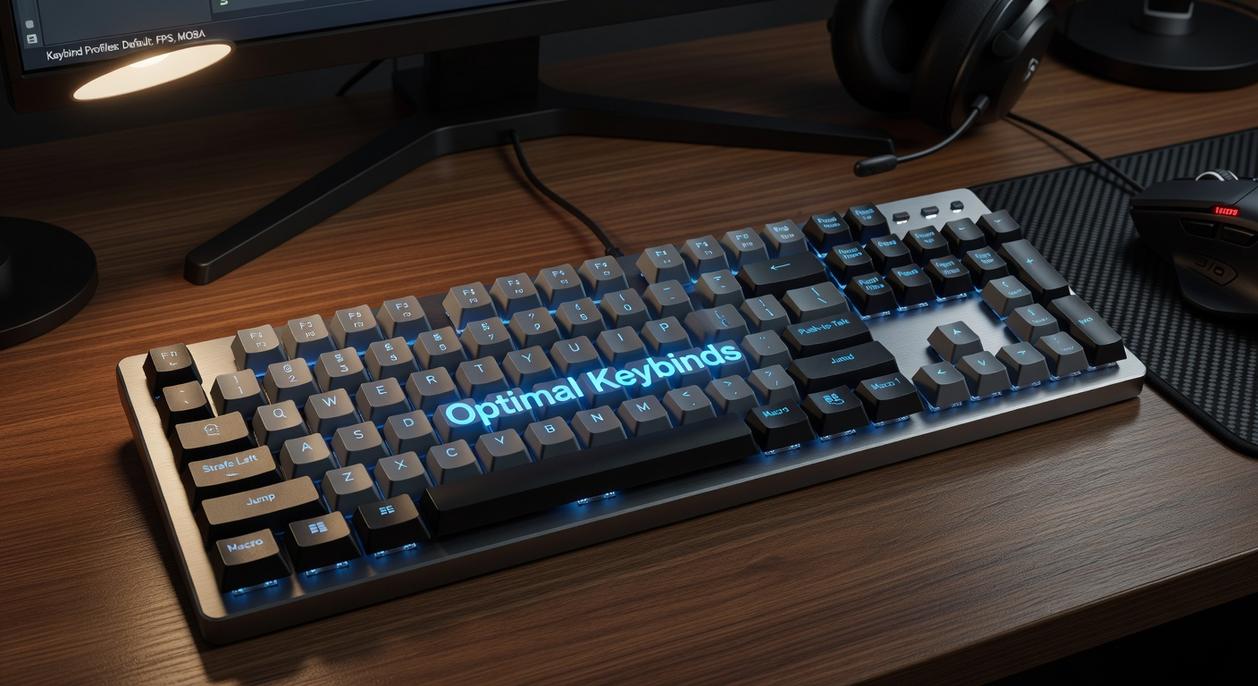
Not all games demand the same reflexes. An FPS rewards split-second aim, while an MMO tests memory and coordination. So instead of chasing one “perfect” layout, let’s compare what actually works—genre by genre.
First-Person Shooters (FPS)
In FPS titles, movement and aiming are king. Every millisecond your left hand leaves WASD (the standard movement keys: forward, left, back, right) is a risk.
Option A: Keyboard-heavy setup
- Melee on V
- Grenade on G
- Push-to-talk on B
Option B: Mouse-optimized setup
- Melee on Mouse Button 4
- Grenade on Mouse Button 5
- Push-to-talk on a side button
Option B usually wins. Why? Your right thumb handles utility while your left hand stays locked on movement. Some argue extra mouse binds hurt aim precision. Fair—but with practice, the tradeoff favors mobility (especially in twitch shooters like Valorant or Call of Duty).
Multiplayer Online Battle Arenas (MOBA)
Speed and accuracy define MOBAs. Core abilities typically sit on QWER, with DF for summoner spells.
Now the debate: Quick-cast vs normal cast.
- Normal cast shows an ability indicator before firing (safer, slower).
- Quick-cast activates instantly (faster, riskier).
Competitive players lean toward quick-cast for tempo advantages, though newcomers may prefer visual confirmation. Items often sit on 1–6, but consider shifting key consumables closer (like 2–4) for faster reach.
Massively Multiplayer Online (MMO)
MMOs demand layered systems. A structured approach helps:
- Primary bar: 1–5
- Secondary bar: Shift+1–5
- Tertiary bar: Ctrl+1–5
Paired with an MMO mouse, this setup reduces hand travel. Critics say modifiers complicate muscle memory. True—but without them, you’ll run out of space fast (and panic during raids).
Real-Time Strategy (RTS)
RTS players thrive on control groups and map awareness. Standard practice assigns:
- Number keys (1–0) for unit groups
- Function keys or remapped keys for camera locations
Compared to clicking units manually, hotkeys dramatically improve efficiency. It’s the difference between commanding like a general—or herding cats.
Ultimately, the best keybind settings for gaming depend on genre demands. Before queuing up, review your setup alongside your pre match preparation checklist for competitive play to ensure everything feels instinctive.
Platform Optimization: Advanced Hacks and Hardware
ESDF vs. WASD
First, the classic debate. Shifting from WASD to ESDF moves your home row one key right. That small change gives your pinky access to Q, A, and Z without stretching. In fast shooters, reduced finger travel time matters; research on keystroke ergonomics shows shorter reach lowers reaction delay and strain (see studies on keyboard efficiency from NCBI). In practice, more reachable keys means more binds—grenades, melee, or push-to-talk—without awkward hand gymnastics.
Some argue muscle memory makes switching pointless. Fair. However, pro players routinely retrain binds in the offseason to optimize efficiency (just like athletes tweak form). Marginal gains stack.
Leveraging Your Mouse
Next, stop wasting your scroll wheel.
- Scroll up/down: weapon swap or rapid-fire cycling
- Middle click: ping or ultimate
- Side buttons: reload or ability triggers
Because your index finger is already anchored, these inputs are faster than keyboard reaches. Many aim trainers log improved action speed when critical abilities move to mouse inputs.
The Power of the Thumb
Spacebar isn’t just jump. In tactical games, crouch on space improves movement flow. Likewise, C, V, and B are prime thumb real estate—easy to spam under pressure.
Hardware Considerations
MMO mice (12-side buttons) and macro keyboards expand options. Still, principles beat gear. Even with budget hardware, dialing in the best keybind settings for gaming improves consistency more than flashy peripherals.
Your custom layout is not a tweak; it’s a PERFORMANCE multiplier. Personalized keybinds shape how fast you react, how comfortably you play, and how consistently you execute strategies under pressure. Yet many players copy a pro’s setup and call it a day. That works sometimes—but only if your hands, desk, and genre match theirs.
Instead, build YOUR system:
- Prioritize ergonomics: keep high-use actions within one key of your movement cluster.
- Map by frequency: if you press it every fight, it deserves prime real estate.
- Use modifiers like Shift or Mouse4 to double options without finger gymnastics.
These principles define the best keybind settings for gaming because they reduce travel time and cognitive load (the mental effort required to make decisions).
Pick one game you play often. Enter practice mode for 15 minutes. Change two or three binds and test. It will feel awkward—MUSCLE MEMORY resists change. Stick with it consistently.
Level Up Your Gameplay Starting Today
You came here looking for real, practical ways to sharpen your mechanics, optimize your setup, and gain an edge in competitive play. Now you have a clear roadmap—from refining your core mechanics to dialing in your best keybind settings for gaming and squeezing every ounce of performance from your platform.
The frustration of missed shots, slow reactions, or inconsistent performance doesn’t come from a lack of effort. It comes from unoptimized systems and habits that hold you back. When your binds are inefficient and your setup isn’t tuned, you’re fighting your own controls instead of your opponent.
Take action now. Audit your keybinds, fine-tune your sensitivity, and apply the optimization tweaks outlined above. Test, adjust, and lock in what feels fast and natural. Players who consistently refine their setup outperform those who don’t—and that’s why we’re trusted by competitive gamers looking for real performance gains.
Stop losing to preventable mistakes. Optimize your setup today and turn every match into a calculated advantage.
 Louise Eppersonevida is the kind of writer who genuinely cannot publish something without checking it twice. Maybe three times. They came to core gaming mechanics and tips through years of hands-on work rather than theory, which means the things they writes about — Core Gaming Mechanics and Tips, Dingo-Level Game Tuning Techniques, Esports Strategy and Player Insights, among other areas — are things they has actually tested, questioned, and revised opinions on more than once.
That shows in the work. Louise's pieces tend to go a level deeper than most. Not in a way that becomes unreadable, but in a way that makes you realize you'd been missing something important. They has a habit of finding the detail that everybody else glosses over and making it the center of the story — which sounds simple, but takes a rare combination of curiosity and patience to pull off consistently. The writing never feels rushed. It feels like someone who sat with the subject long enough to actually understand it.
Outside of specific topics, what Louise cares about most is whether the reader walks away with something useful. Not impressed. Not entertained. Useful. That's a harder bar to clear than it sounds, and they clears it more often than not — which is why readers tend to remember Louise's articles long after they've forgotten the headline.
Louise Eppersonevida is the kind of writer who genuinely cannot publish something without checking it twice. Maybe three times. They came to core gaming mechanics and tips through years of hands-on work rather than theory, which means the things they writes about — Core Gaming Mechanics and Tips, Dingo-Level Game Tuning Techniques, Esports Strategy and Player Insights, among other areas — are things they has actually tested, questioned, and revised opinions on more than once.
That shows in the work. Louise's pieces tend to go a level deeper than most. Not in a way that becomes unreadable, but in a way that makes you realize you'd been missing something important. They has a habit of finding the detail that everybody else glosses over and making it the center of the story — which sounds simple, but takes a rare combination of curiosity and patience to pull off consistently. The writing never feels rushed. It feels like someone who sat with the subject long enough to actually understand it.
Outside of specific topics, what Louise cares about most is whether the reader walks away with something useful. Not impressed. Not entertained. Useful. That's a harder bar to clear than it sounds, and they clears it more often than not — which is why readers tend to remember Louise's articles long after they've forgotten the headline.